 ChildCare
Kids 360 Parental Control
Real-time screen time limits, web & app filtering, live location with geofences, SMS monitoring, a one-tap SOS with instant video call, and tasks & rewards — all from one parent app. Trusted delivery, zero guesswork.
 SOS
SOS
Everything you need to keep them safe 15 powerful features across monitoring, protection, and emergency control.
Screen Time Control
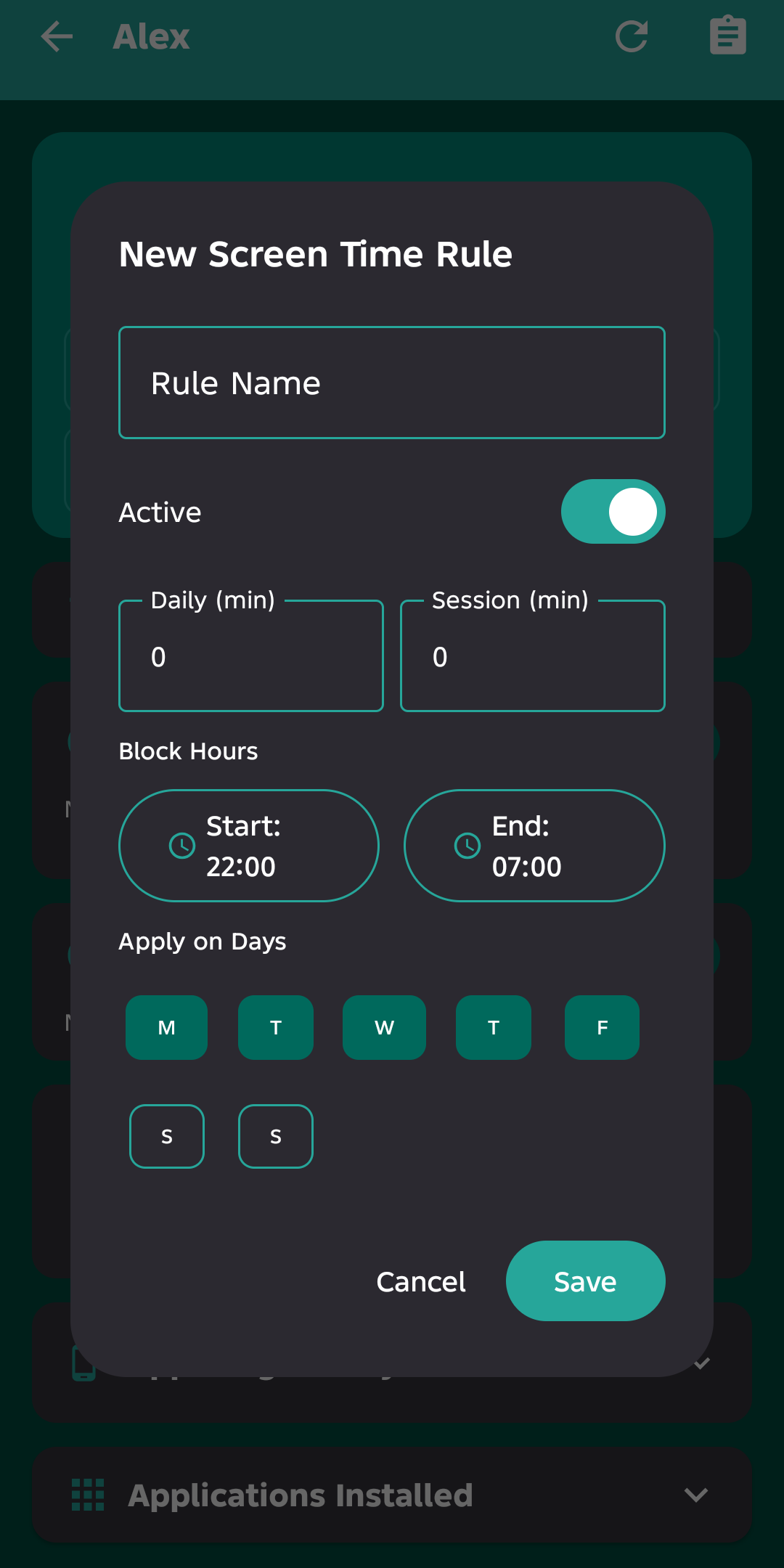
Set daily usage budgets, session limits and bedtime curfews. Limit or allow individual apps, with different rules on weekdays vs weekends.
Live Location & Geofencing
See your child's location on a map in real time. Create geofences ("Home", "School") and get instant alerts when they enter or leave.
App Usage & History
See exactly which apps they use, for how long, and when. View per-app time, launch counts and categories.
Web & YouTube Monitoring
Track visited websites, search queries and YouTube videos watched — with titles, channels and timestamps.
Social Guard Pro
Screen-sharing guard for messengers & social apps: daily time limits, risk alerts, and optional AI deep-scan of risky content (Ultra).
App & Web Blocking
Block individual apps or entire website categories (adult, violence, gambling, social media) with SafeSearch enforcement — plus keyword blocking of pages & apps containing specific words.
SMS & Call Monitoring
Read SMS messages and view call logs (incoming, outgoing, missed) with timestamps and duration.
Remote Device Lock
Lock your child's device remotely with a custom reason message and scheduled unlock time.
App Locker Pro
PIN-lock specific apps on your child's device so they can't be opened without your permission.
Pause Internet
Cut or restore your child's internet access instantly, from anywhere.
SOS Panic Button
A big red button on the child's screen. One tap sends an emergency alert to the parent through 4 parallel channels (cloud, push notification, MQTT and direct LAN).
Instant Video Call Response
Tap "Respond" on an SOS alert and a Jitsi video call opens automatically on both devices — no setup, no app switching.
Tasks, Rewards & Kiosk Mode
Assign chores with rewards, let kids submit completions, and lock the device into a single-task "kiosk mode" until done.
Screen Mirror & Remote Capture Ultra
Watch your child's screen live like TV — up to 1 minute per kid at fast low-resolution streaming — plus one-tap screenshots and ambient mic (on-demand only).
How it works Set up in under 10 minutes on two devices.
Install ChildCare on the parent's phone and on each child's device (Android 8.0+).
Register with email/phone or Google Sign-In.
Generate a one-time pairing code (QR or PIN) on the parent app.
Enter the code on the child's device and grant the required permissions via the guided wizard.
Define screen-time budgets, web filters, geofences and blocked apps.
The child's device runs a background service that collects and syncs data; the parent sees everything live, from any location.
One tap. Four channels. Zero excuses.
When your child presses SOS, the alert travels through four redundant channels simultaneously. Whichever arrives first wins. The parent gets a loud alarm notification even if the app is closed, plus a persistent "Respond / Dismiss" card in the app. Responding launches a one-tap Jitsi video call. The button has a 30-second cooldown to prevent accidental spam.
Your alerts never get lost
ChildCare doesn't depend on a single connection. Heartbeats, location, and commands travel through cloud storage, Firebase push, MQTT, and your local network — with automatic failover. If one channel is down, another delivers. Commands like Ring, Quick Call, Video Call, Sneak & Screenshot are queued and delivered reliably even when the devices are on different networks.
ChildCare vs the top 5 parental control apps An honest, feature-by-feature comparison.
| Feature | ChildCare | Google Family Link | Qustodio | Bark | Norton Family | mSpy |
|---|---|---|---|---|---|---|
| Starting price | $0 Free · Pro from $9.99/mo | Free | ~$4.58/mo (yr) | $5–14/mo | ~$4.17/mo (yr) | ~$14.99/mo |
| Free tier / trial | Yes (7-day full trial) | Yes (free) | Free plan (1 device) | No | Trial only | No |
| Screen time limits | Yes | Yes | Yes | Yes | Yes | No |
| Per-app limits | Yes | Yes | Yes | Partial | Android only | No |
| Web filtering | Yes (categories + SafeSearch) | Search-level only | Yes (18 categories) | Yes | Yes (best-in-class) | Limited |
| Web & YouTube history | Yes | Activity log | Yes | Alert-based | Yes | No |
| App usage history | Yes | Yes | Yes | No | Yes | No |
| Live location | Yes | Yes | Yes | Yes | Yes | Yes |
| Geofencing alerts | Yes | Basic | Yes | Yes | No | Yes |
| SMS & call monitoring | Yes | No | No | Text scanning | No | Yes |
| Remote device lock | Yes | No | Yes | Yes | Yes | Partial |
| Pause internet | Yes | No | Yes | Yes | Yes | No |
| SOS panic button | Yes | No | No | No | No | No |
| One-tap video call response | Yes | No | No | No | No | No |
| Tasks, rewards & kiosk mode | Yes | No | No | No | No | No |
| Social Guard (social app safety) | Yes | No | No | No | No | No |
| App Locker (PIN-gate apps) | Yes (Pro) | No | No | No | No | No |
| Screen mirror (live preview) | Yes (Ultra) | No | No | No | No | No |
| Remote screenshot | Yes (Ultra) | No | No | No | No | Partial |
| Co-parent management | Yes (Ultra) | No | No | Partial | No | No |
| Uninstall protection | Yes | Yes | Yes | Partial | Yes | Partial |
| Data auto-prune (3 days) | Yes | No | No | No | No | No |
| In-app self-update | Yes | No | No | No | No | No |
Comparison based on publicly documented features and reviews, July 2026. Prices and features change frequently — always confirm on each vendor's site. ✓ = supported, ✱ = partial/limited, – = not offered. ChildCare never reads private social-media conversations — it only monitors what your child's device actually does.
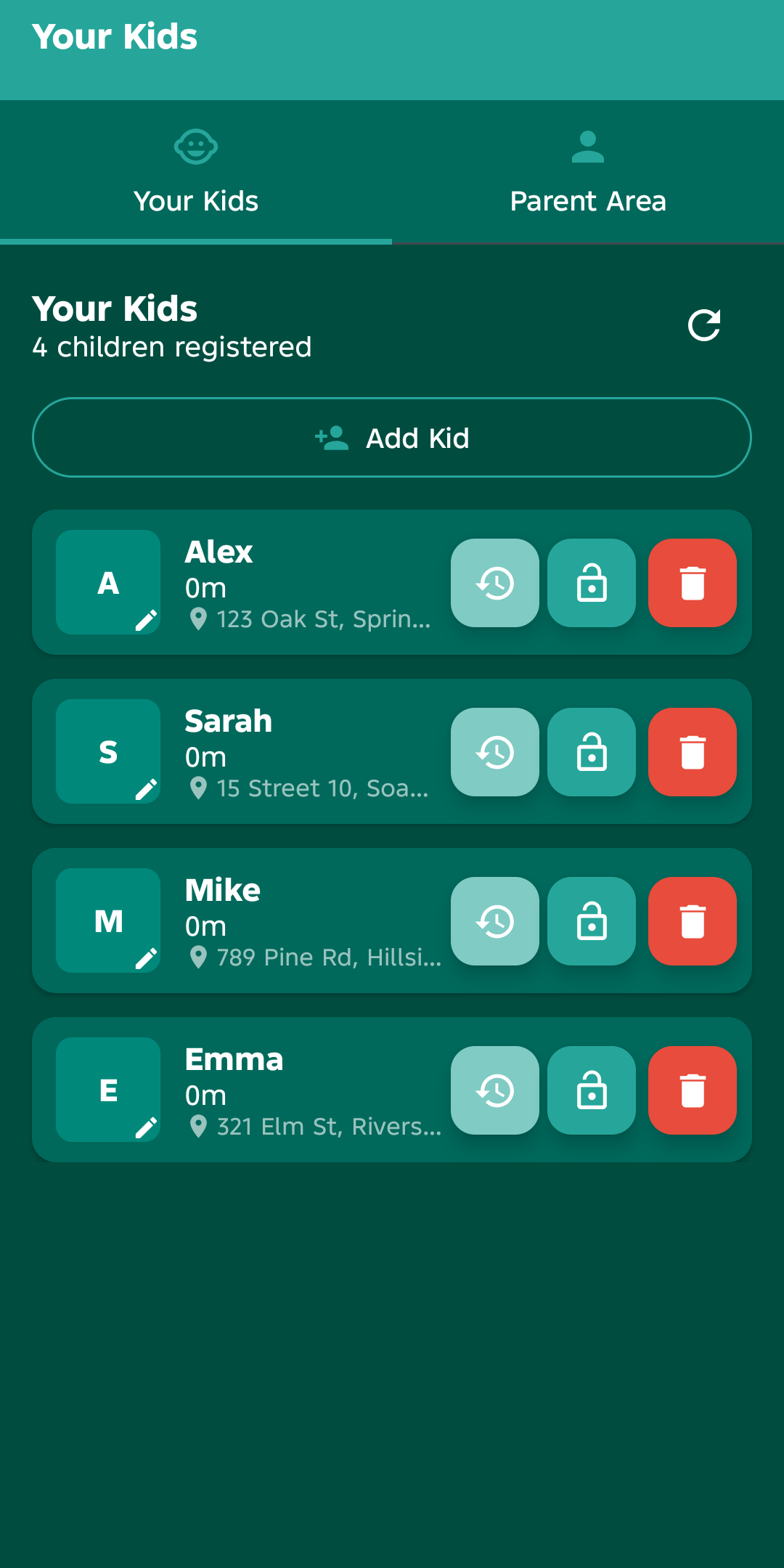
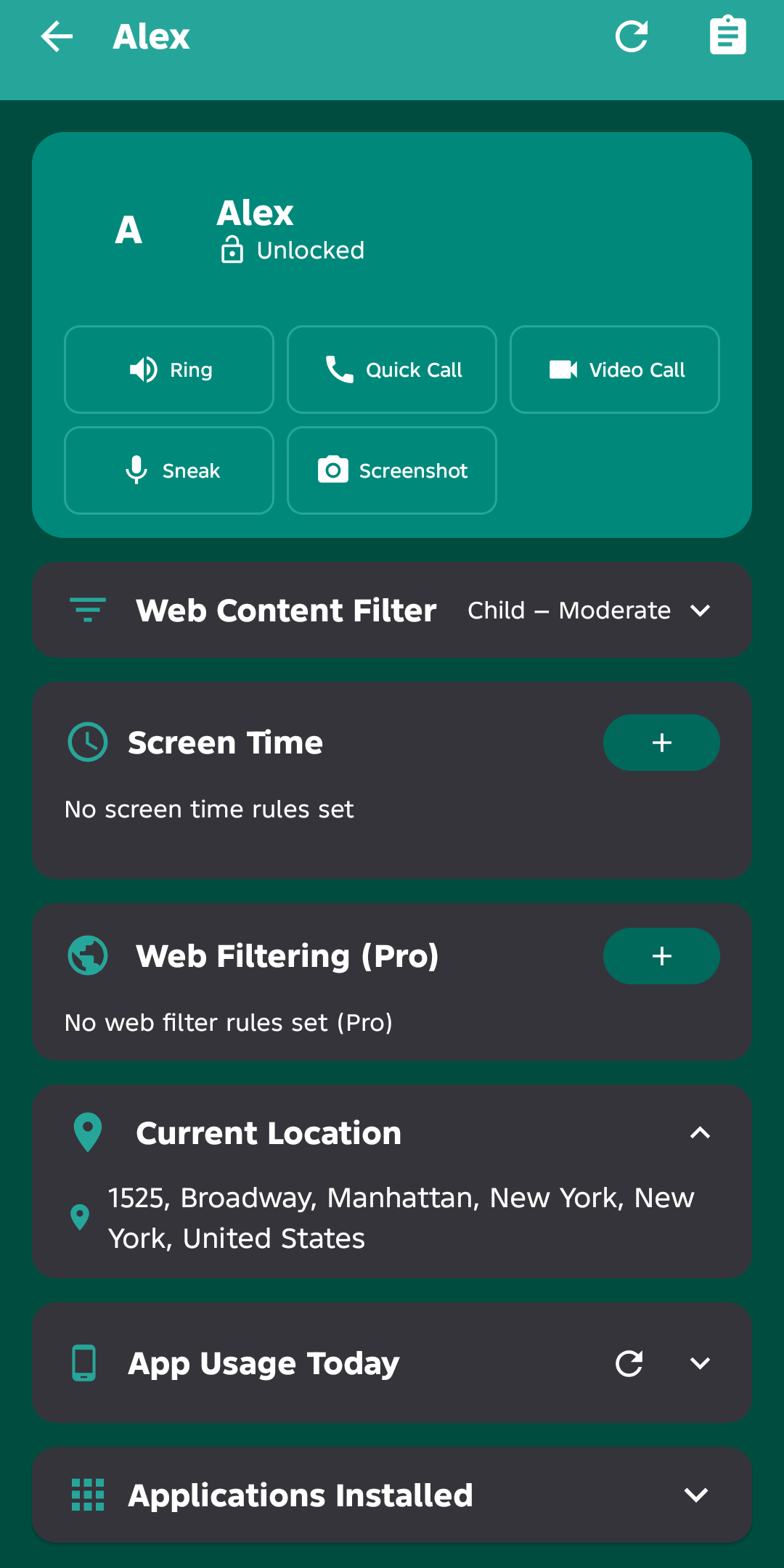
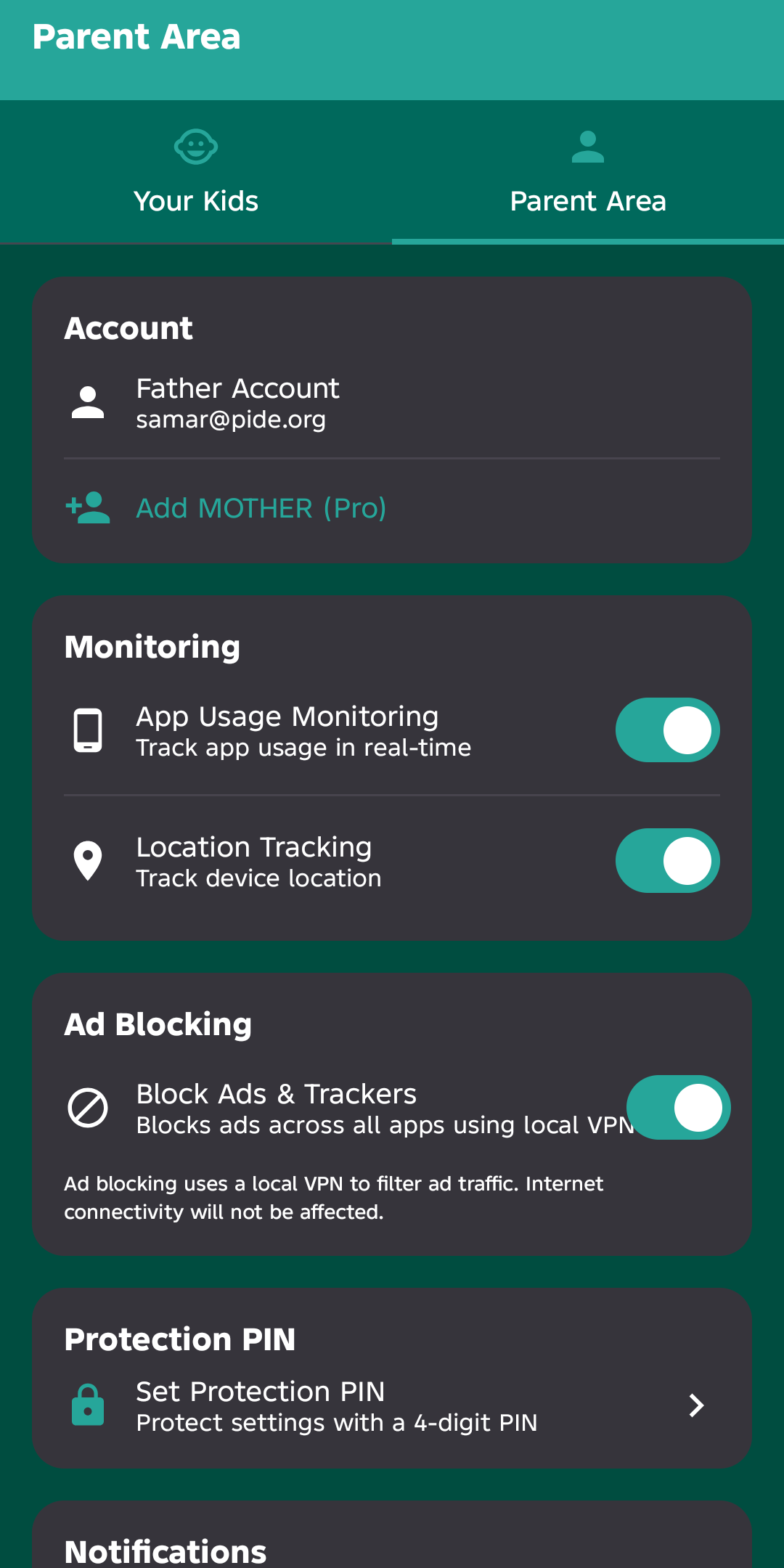
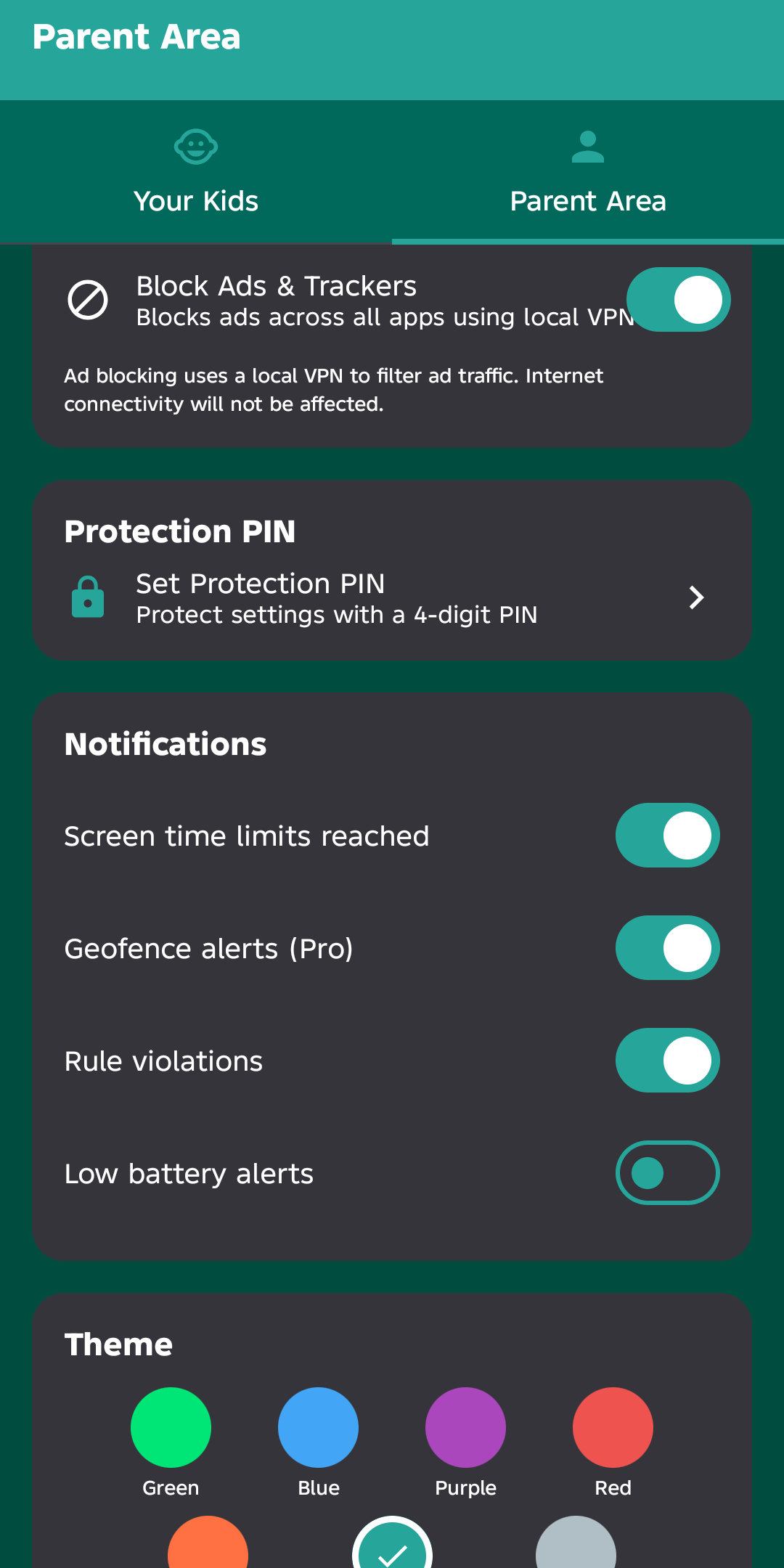
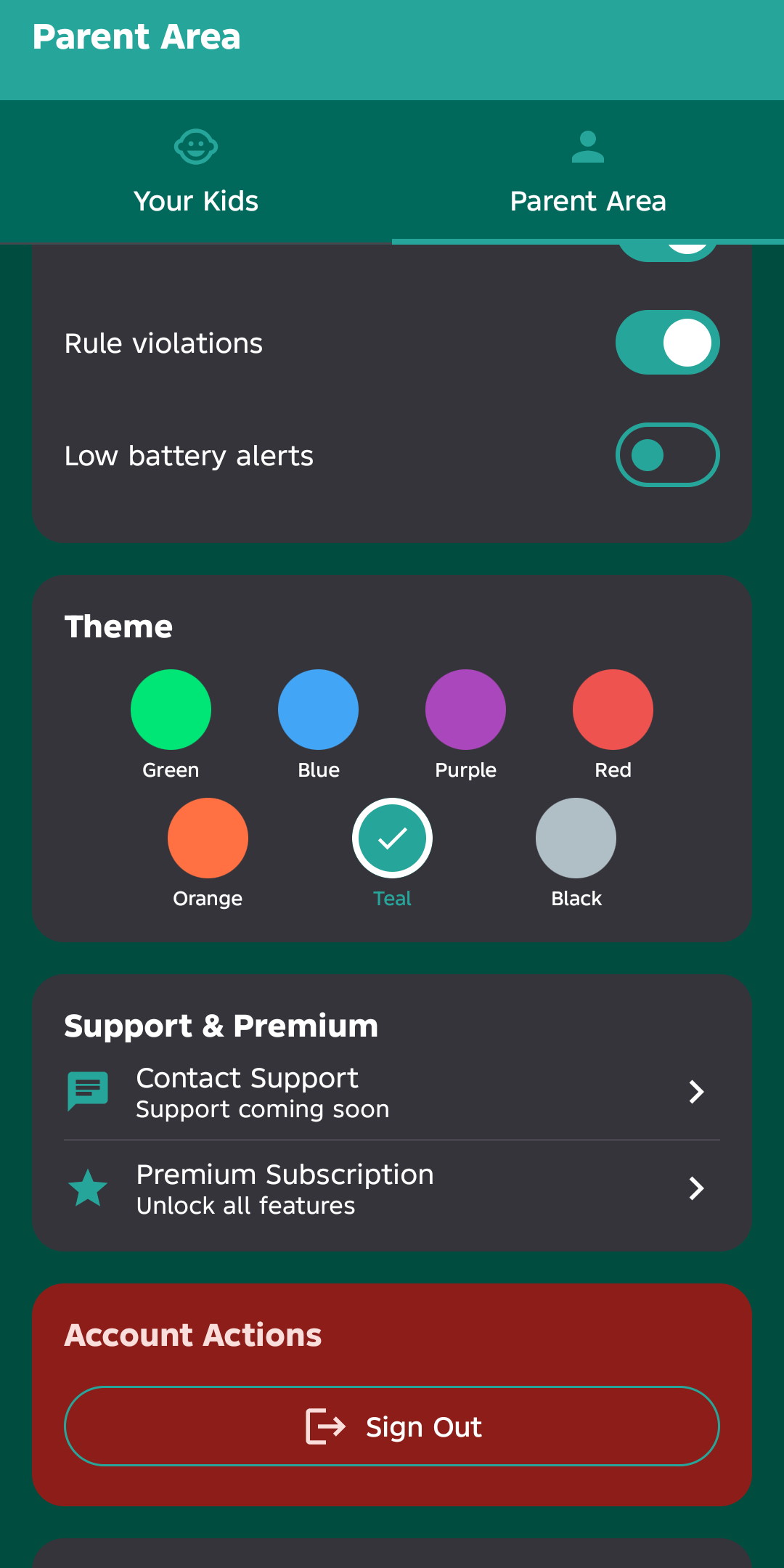
Screenshots Everything, at a glance.
Simple, honest pricing Every new account starts with a full-featured 7-day free trial, built into the app.
Free
- 7-day full-featured trial
- Core monitoring (1 child)
- Usage + location + history
- Screen-time limits
Pro
- Web filtering + SafeSearch
- Tasks & Rewards (kiosk mode)
- SMS monitoring
- Geofences
- App Locker (PIN-gate apps)
- Unlimited children
- YouTube history
Ultra
- Everything in Pro
- Co-parent management
- Screen Mirror (live preview)
- AI social & image scans
- Ambient mic (remote listen)
- Remote screenshot capture
- Theme picker (7 colors)
- Priority support
Cancel anytime. Billed monthly/yearly through Google Play.
Frequently asked questions The things parents ask us most.
Privacy & trust
All sync is encrypted in transit.
Sensitive data is removed automatically.
No third-party sharing, ever.
Designed with child privacy in mind.
Take control of their screen time — today
Install on your phone and their device. Two minutes of setup is all it takes to start seeing everything live.
Direct APK download — Android 8.0+ required. · Latest version 2.1.25 (v187) · See changelog
Subscription is managed in-app via Google Play. Cancel anytime.